Choose an AI agent by the work it must finish
How to compare Dot, ChatGPT Work, Grok Bot, browser access, and coding agents without buying an entire stack.
Start with a useful result
A product demo can show an agent completing an impressive task. Your buying decision still comes down to a smaller question: can it complete the work you need, with the information and access you actually have?
Start by writing the output you want. A checked competitor brief, a revised presentation, a staged campaign, and a tested code change are different jobs. They call for different working environments and different proof that the work is finished.
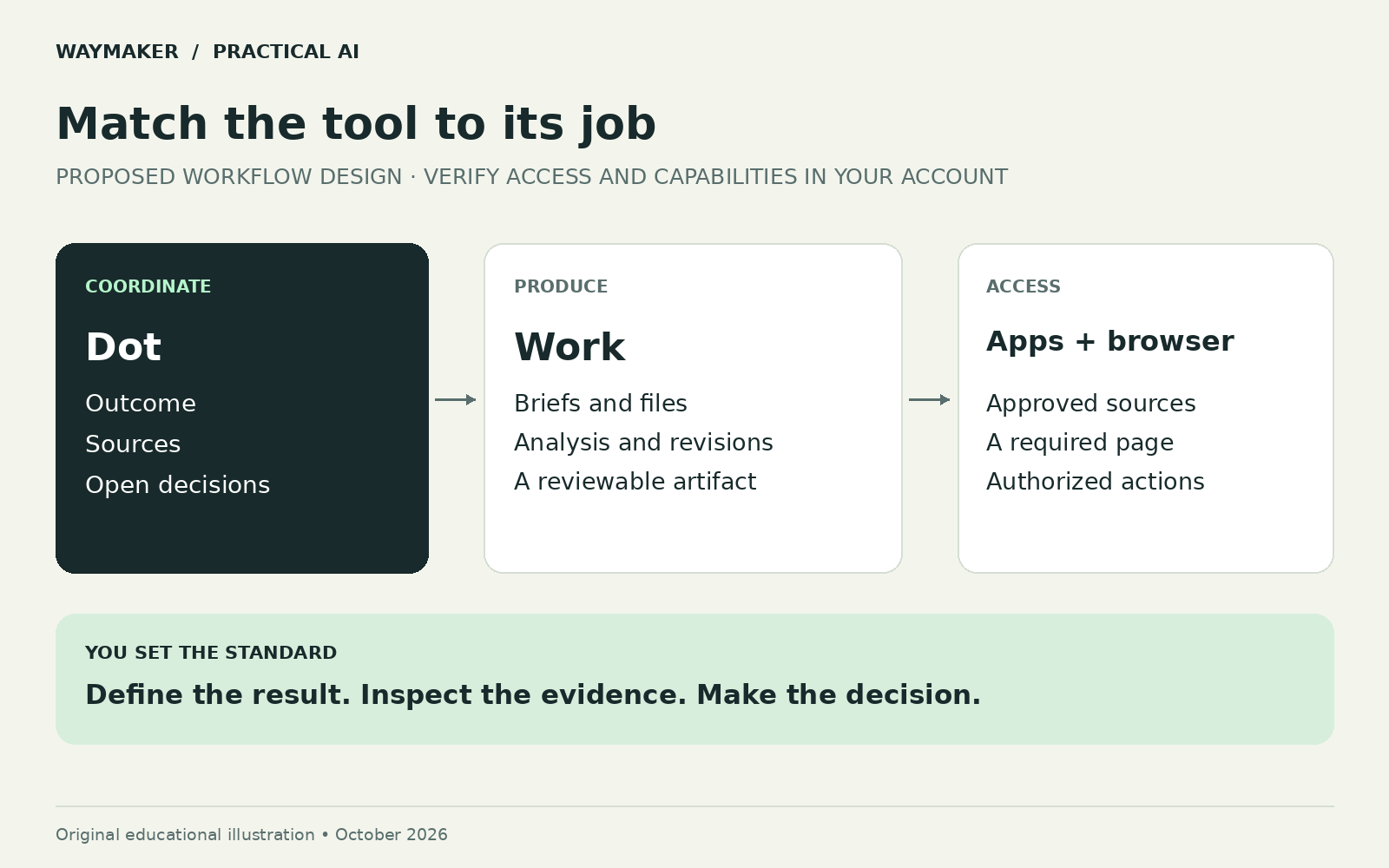
Separate the parts of the stack
A reasoning model helps interpret instructions. An agent combines reasoning with tools. A working environment is where files and actions live. A connection provides access to another service. A schedule starts recurring work. A review checks the result. Buying a capable model does not automatically supply the other parts.
| Option | Documented capability | Question to test in your account |
|---|---|---|
| Dot | An ongoing agent with a cloud computer | Can it coordinate this responsibility with the connections available? |
| ChatGPT Work | Task execution and reviewable deliverables | Can it produce the required artifact from your sources? |
| Browser extension | Access to supported signed-in browser workflows | Does the task require a local session or visual interaction? |
| Grok Bot | Persistent Bots with shared account-level computer resources | Are shared access and task ownership suitable for this work? |
| Cursor Cloud Agents | Coding work in isolated cloud development environments | Can the environment reproduce your project and run its checks? |
Capabilities: Meet dots; Get started with ChatGPT Work; ChatGPT browser extension; Grok Bot for Teams and Enterprise; Cursor Cloud Agents. These products overlap. The table is a selection aid, not a tested performance ranking.
Choose one starting configuration
For a recurring business brief, test one coordinator and one document workflow. For code changes, test a configured coding environment. If your existing tool completes the job well, keep it. Add another tool only when you can name the missing capability and the expected benefit.
Multiple agent products also create multiple places to look for files, failures, and usage. A second tool should justify that coordination cost. Otherwise, a simpler workflow can be easier to repeat and easier to troubleshoot.
Run the same small assignment before comparing
Use one task whose answer you can assess. For example, ask each candidate to compare three named service providers using their official documentation. Give the same output format and require source links, uncertainty labels, and a recommendation tied to your criteria. Do not use confidential material for the first comparison.
Prepare a one-page comparison of these three named providers.
Use their official pages for feature and availability claims.
Evaluate only the five criteria I provide.
Mark inaccessible or undocumented information as unknown.
Return the comparison, source links, and the checks you performed.
Do not sign up, contact sales, or start a paid plan.
State where human review is still needed.
Score the artifact against your brief. Did the agent use the correct products? Are the links relevant? Are unknowns visible? Could someone else understand the recommendation? Record interventions and corrections as well as elapsed time. A fluent paragraph is not the same as a dependable comparison.
Examine the environment before relying on it
Grok Bot’s documentation describes shared computer access among a user’s Bots and platform-managed model selection. Distinct Bot names are therefore not separate credential boundaries. Cursor Cloud Agents use a different execution model, with isolated development environments. Grok Bot for Teams and Enterprise; Cursor Cloud Agents.
For ChatGPT workflows, distinguish the cloud environment from a connected local computer. Work that depends on local resources still needs that computer available. A cloud browser also has its own sessions; it does not inherit every personal browser login. Dot computers and apps.
Those details can decide whether a workflow succeeds after you step away. They matter more than a generic claim that an agent works around the clock.
Compare total cost after the trial
Count subscription allocation, metered usage, preparation, review, retries, and maintenance. Record how many outputs you actually accepted. For an illustrative calculation, $30 of tool usage divided by three accepted deliverables is $10 each before human time. If only one deliverable is acceptable, that figure becomes $30. These are invented numbers to explain the calculation, not current vendor prices.
Check current plan terms in your own account before enabling extra spending. Different execution surfaces may have different allowances and limits. Avoid treating a model announcement as a statement about your exact entitlement.
Keep the method portable
Save the assignment, sources, acceptance criteria, and final artifact outside a single conversational summary. If you later change tools, those materials are the specification for the next trial. The practical goal is to retain a workflow that serves your work even as the software changes.
Use AI Superpower to explore tools, then evaluate a short list against one real assignment.
Companion guide: how Dot, Work, and browser access fit together.
Common questions
Where should I start?
Choose a small task you understand and can check. Use a tool you already have before adding another subscription.
Sources and review notes
Product information checked against publisher documentation on . Plans and features can change. The workflows and examples are editorial guidance; this article does not report hands-on product test results.
Keep learning
- Will AI make work optional? Read the claim, then test a real task.
- Obsidian, Claude and Jev: what an AI second brain actually needs
- What is Grok Bot? Practical workflows for marketing, product, and everyday operations
- Connect your AI builder to GitHub, Railway, and Supabase—with a clear job for each
- Build your first useful AI workflow: one task, one review, one repeatable result
- An AI meeting action-plan template that keeps decisions separate from guesses
- Build an AI tool stack within a monthly budget
- Should this task use a prompt, an automation or an AI agent?
- Three AI tools, one task: a repeatable test you can explain
- ChatGPT vs Claude vs Gemini: how to choose for real work
- AI meeting notes: turn a transcript into an action plan
- Repurpose a webinar with AI: a practical content workflow
- How to build an AI customer support chatbot from your FAQs