Grok Bot practical guide
Grok Bot: your first useful teammate, from setup to a finished task
Set up one focused Bot, complete a source-linked research brief, and turn an accepted result into a reusable routine.
In this guide
- The useful starting point
- 1. Get into the right app
- 2. Give the Bot a job, not a personality alone
- 3. Complete one small research brief
- 4. Understand the computer your Bots use
- 5. Try a reporting job with an expected answer
- 6. Save the method, then decide about scheduling
- Know what you are approving
- Sources and further reading
The useful starting point
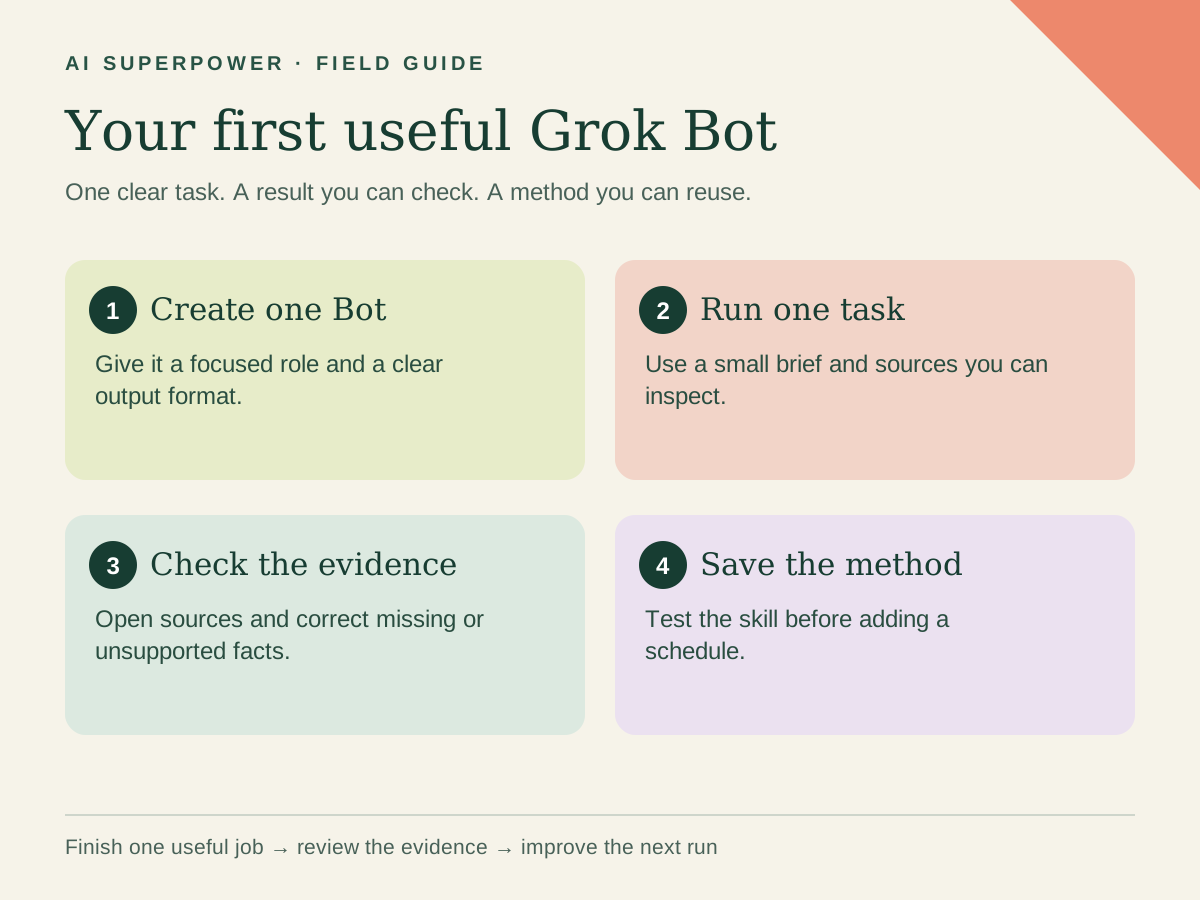
Start with the official Grok Bot app and an eligible account. Give one Bot a clear responsibility, run a small task, inspect the output, and save the method only after it works.
A useful first Grok Bot does not need to run your whole business. Give it a job you already understand: a weekly research brief, a draft reporting pack, or a tidy set of project notes. You will learn more from one finished task than from creating a large team before anyone has an assignment.
This guide covers the official Grok Bot product. It is distinct from regular Grok chat and unrelated projects using the GrokBot name. The exercises below are our suggested workflows, not independent benchmarks or a promise of unattended accuracy.
1. Get into the right app
Use the official getting-started page to check eligibility and download the app. Current access includes multiple paid X, Cursor and Grok routes; check your existing entitlement before buying another subscription. Desktop builds cover macOS, Windows and Linux, with mobile options also documented.
Follow the account sign-in flow for your entitlement. After onboarding, use the sidebar's plus control to create a Bot, choose a name and give it one main responsibility. Account and menu details can change, so use the linked documentation when your screen differs.
2. Give the Bot a job, not a personality alone
A name makes the Bot easy to find; a role makes it useful. For a first example, create “Research Desk.” Give it a narrow remit and an output you can evaluate without connecting private business systems.
Your job is to prepare short research briefs from public official sources.
For each claim, retain the source URL and date checked.
Separate verified facts, your interpretation and unanswered questions.
Return a comparison table and a one-page brief.
Do not contact companies, register accounts, buy anything or publish.
Remember this working method for future research tasks.
Ask it to restate the job in its own words. Correct any expansion of scope before supplying the first assignment. “Research software” is broad; “compare these three providers against these four requirements” has a finish line.
3. Complete one small research brief
Choose three tools you are considering and four requirements that matter to your work. For example: export format, collaboration, available integrations and account requirements. Do not ask the Bot to invent a numerical ranking when some facts are missing.
Research these three provider URLs: [paste URLs].
Compare these requirements: [paste four requirements].
Use official product or help pages and show a source beside each fact.
Mark missing or ambiguous information as unknown.
Create an editable comparison and a brief recommending my next two checks.
Finish in this conversation. No outreach or purchases.
Open a few source links yourself. Check whether the quoted capability belongs to the correct product and plan. An accessible marketing page is not proof that your account has the feature. Ask the Bot to revise any unsupported conclusion, then keep the corrected deliverable as the example for next time.
4. Understand the computer your Bots use
Grok Bot's computer documentation describes a persistent cloud environment. Bots on your account share files, logins and credentials; different Bot roles do not create separate security compartments. Open the conversation's computer preview to inspect the work. For authentication, use the secure form or take-over flow instead of pasting passwords into chat.
When a supported connected app can do the job, connect that app deliberately and review its access. Add one source at a time. For this first research exercise, public URLs should be enough. A later reporting workflow can use approved exports before it needs access to your live analytics account.
5. Try a reporting job with an expected answer
Use our existing Weekly Growth Decision Brief template kit. It includes fictional sample resources, a suggested setup and evaluation materials. Start with those samples, then compare the output with the expected brief. A template is a starting method; it does not establish that future runs will be correct.
Add one deliberate problem: remove a reporting date, duplicate a row, or leave bookings blank. A useful Bot flags the issue and explains which conclusions it cannot support. It should not silently treat missing bookings as zero or compare different reporting periods.
Use the fictional sample only. Show the calculation behind each metric.
Identify missing periods, duplicates and zero denominators.
Distinguish an observed change from a possible cause.
Recommend three checks, and keep all account changes as proposals.
6. Save the method, then decide about scheduling
Once you have an accepted run, ask the Bot to save the process as a skill. Skills capture the method; routines determine when a Bot runs it. Review the saved instructions and test a fresh sample before creating a recurring job.
Save this accepted workflow as a skill called Research Decision Brief.
Include the required inputs, source checks, output structure and stop rules.
Read the saved method back to me. Do not schedule it yet.
For a later routine, specify an owner, timezone, approved inputs, delivery destination and what to do when a source is unavailable. Ask it to report a failed run rather than recycle stale information as new. Verify the routine exists and inspect its first actual run.
Know what you are approving
Grok Bot's approval system considers your request and custom rules. Read the actual operation and destination before approving a consequential action. If a request is unclear, ask for a draft or a before-and-after view. Finish your first session with one checked deliverable and one reusable method. That is enough to build on.
Explore the Agent Field Guide → · Get help with your workflow →
Sources and further reading
- Grok Bot: Get started
- Grok Bot: Computer and apps
- Grok Bot: Skills and routines
- Grok Bot: Approvals and privacy
Sources checked October 31, 2026. Tool features and plan availability can change; review the linked publisher documentation before connecting an account.
Put one idea to work
Compare a tool on work you understand, measure review effort, and keep the result only when it improves the task.
Plan a useful tool trial →Explore more from AI SuperpowerKeep practicing
 Technology field notes
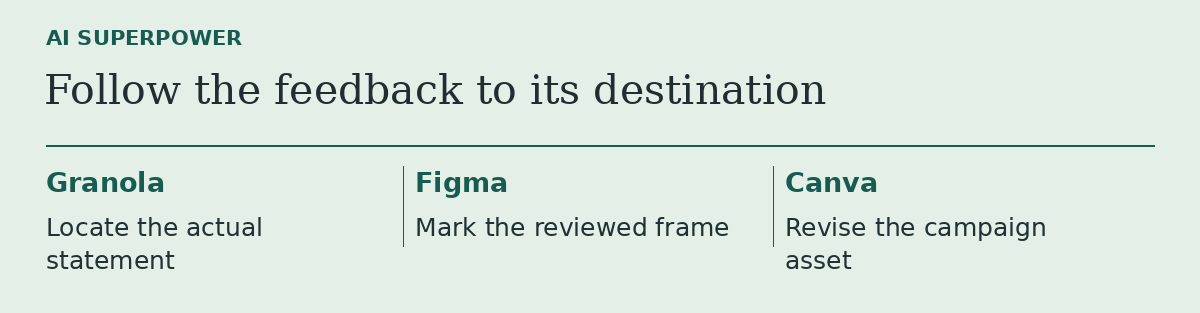
Granola, Figma or Canva? Follow one piece of feedback to the right tool
Three product updates make more sense when you start with the file you need to change.
November 18, 2026 · 2 min read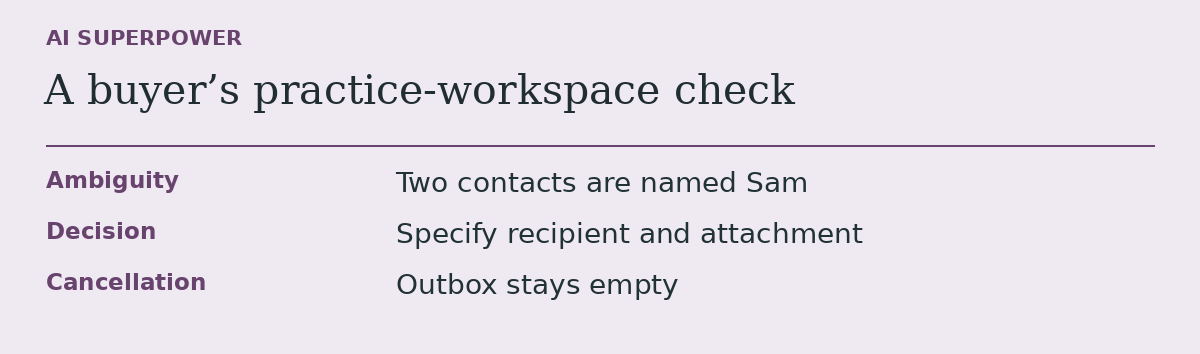 Technology field notes
Before you subscribe to an AI agent, give it a task it should leave unfinished
An acceptance test for buyers who need to know what an agent does when information runs out.
November 18, 2026 · 2 min read